
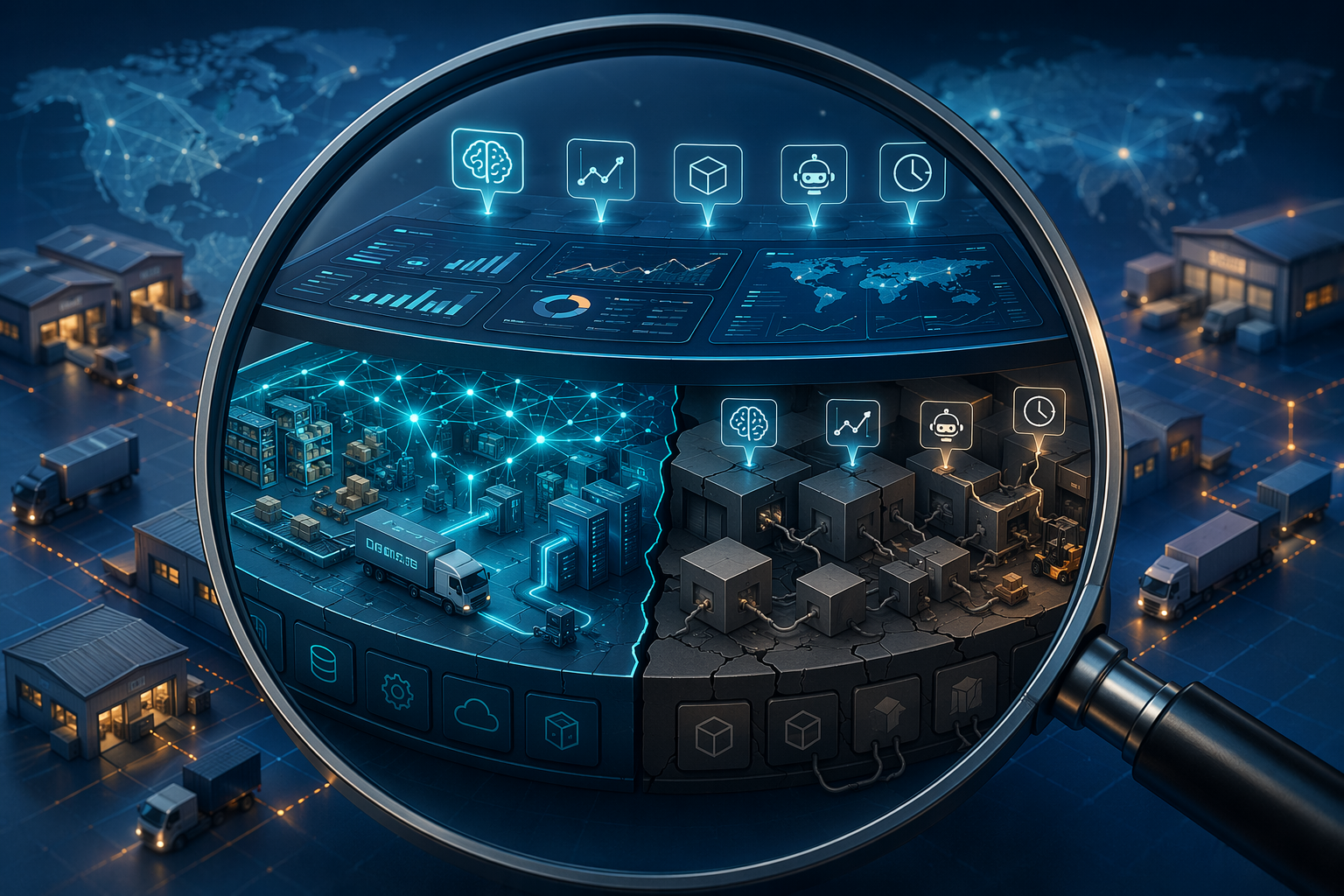
The hard part of buying supply chain AI software in 2026 is not finding a vendor that says it uses AI. It is finding out whether the intelligence sits inside the operating model of the platform or has been attached to a workflow that was designed before machine learning became central to planning, execution, and exception management.
That distinction matters because the cleanest demo usually hides the dirtiest work: reconciling ERP data, mapping transportation events, explaining recommendations to planners, and keeping custom integrations alive after the first upgrade. A model that can spot demand volatility is useful. A platform that requires a year of plumbing before planners trust the recommendation is a different purchase.
The buying pressure is real. One recent supply-chain-focused market roundup cites Precedence Research estimating the AI in supply chain market at $9.94 billion in 2025 and projecting it to reach $236 billion by 2035, at a 37.3% CAGR. The same roundup cites an ABI Research survey of 490 professionals in which 64% of supply chain leaders said AI or GenAI capabilities were important or very important when evaluating new technology solutions.[1] Market-sizing varies by research scope, so the exact number should not be treated as a single source of truth. The signal is still clear: buyers are being asked to evaluate AI capability faster than most organizations have matured their data, architecture, and operating model.

The first test: AI-native or AI-added
The most useful first cut is architectural: is the platform AI-native, or is it AI-added? AI-native platforms are built around unified data models, embedded machine-learning layers, and workflows designed to let recommendations move into decisions. AI-added platforms typically start from an established planning, WMS, TMS, ERP-adjacent, or visibility product and add intelligence through extensions, acquired modules, partner models, or new user-interface features.[2]
That is not a moral ranking. A mature AI-added platform may have deep transaction coverage, reliable enterprise controls, and operational fit that a newer AI-native product still lacks. An AI-native platform may have an elegant model layer but still require heavy integration work in a fragmented enterprise. The distinction is valuable because it predicts where diligence should go: data harmonization, upgrade cost, explainability, customization, and the timeline between pilot and operational payback.
A deeper architectural comparison belongs near the start of the buying process, not after procurement has already narrowed the field. ChainSignal’s guide to AI-native vs. AI-enhanced supply chain companies is useful when the internal team needs shared language before vendor workshops begin.
| What to inspect | AI-native tendency | AI-added tendency | Why buyers should care |
|---|---|---|---|
| Data model | Unified semantic layer designed for prediction and decision workflows | Existing operational data structures extended for analytics or AI modules | Determines how much reconciliation work lands on IT and business teams |
| Machine-learning layer | Embedded into the platform’s core logic | Connected through add-ons, acquired capabilities, or external services | Affects latency, model governance, and upgrade complexity |
| Workflow engine | Recommendations are designed to trigger actions, approvals, and exception handling | AI may surface insights without changing the underlying process path | Determines whether users can move from signal to resolution |
| Explainability | Often designed into the recommendation experience | May depend on separate analytics screens or model documentation | Planner trust depends on whether users can understand why the system is recommending action |
| Customization | Configuration should cover common workflows without rewriting the product | Custom work may be needed to bridge old process assumptions | Customization can turn a software purchase into a long implementation program |
Architecture shows up first in the integration bill
Integration is where vague platform claims become budget exposure. A platform can say it connects to ERP, TMS, WMS, supplier portals, demand signals, and carrier events. The evaluation question is less flattering: which system owns the master data, which exceptions break the model, and who cleans the data when the AI recommendation conflicts with the operational record?
The cost exposure is not theoretical. One logistics AI ROI analysis says legacy TMS/WMS integration typically consumes 30–40% of total project cost.[3] That range should change the tone of every buyer workshop. Integration readiness is not an implementation detail to schedule after vendor selection; it is one of the primary selection criteria.
Ask for a data walk-through, not a connector slide. The vendor should show how the platform ingests orders, shipments, inventory, locations, lead times, demand signals, constraints, and event updates; how it resolves conflicting records; and how data lineage remains visible when a recommendation is made. If the system needs a perfect data environment before it can be useful, the buyer needs to know that before the pilot charter is signed.
- Ask which data entities are native to the platform and which require custom mapping.
- Ask how the platform handles missing, late, duplicated, or contradictory operational data.
- Ask whether integrations are productized, partner-built, or custom-built for each implementation.
- Ask what breaks during a source-system upgrade and who is responsible for remediation.
- Ask for examples of integrations with systems resembling your own ERP, WMS, TMS, planning, and visibility stack.
Data quality failures are especially dangerous in AI programs because the symptoms often appear as user resistance: planners override the model, operations teams ignore alerts, finance questions the savings, and the steering committee concludes the organization is “not ready.” The better diagnosis is usually more specific. ChainSignal’s analysis of AI data quality failure in supply chain optimization is worth using as a pre-selection checklist, not as a post-mortem.
Explainability is not a dashboard preference
A supply chain recommendation has to survive contact with people who know the business. If a planner cannot understand why the system proposes a transfer, expedites a shipment, changes a replenishment quantity, or flags a supplier risk, the planner will override it. Both an independent 2026 platform analysis and a buyer’s guide from Deposco identify explainability as a core selection criterion because trust determines whether AI recommendations become operating behavior.[2][4]
The practical test is simple: during the demo, do not let the vendor stop at “recommended action.” Ask the system to explain the recommendation in operational language. Which demand signal changed? Which constraint became binding? Which shipment event triggered the risk score? Which assumptions would change the recommendation? Which user can approve, reject, annotate, or escalate it?
Good explainability does not mean exposing every model parameter to every user. It means the platform can show enough cause, confidence, trade-off, and consequence for the person accountable to make a decision. A demand planner may need to see which historical pattern or promotion assumption shifted the forecast. A transportation manager may need the service-cost trade-off behind a reroute. A customer operations team may need to understand why the system prioritizes one allocation dispute over another.
| Demo moment | Weak answer | Stronger answer |
|---|---|---|
| The system recommends expediting an order | “The AI detected risk.” | Shows the late supplier event, inventory position, customer priority, service impact, cost trade-off, and approval path |
| The forecast changes for a region | “The model learned from new demand patterns.” | Shows the signal that changed, the confidence range, the affected SKUs or locations, and the assumptions planners can challenge |
| The platform flags unavailable inventory | “The AI found an exception.” | Shows which records conflict, which promise dates are exposed, who owns resolution, and what action is recommended |
Do not let forecasting swallow the whole evaluation
Forecasting matters. Demand planning remains one of the most developed areas for machine learning in supply chain, and platforms such as o9, Kinaxis, SAP IBP, Relex, and ToolsGroup belong in that conversation depending on the scope of planning, inventory, and replenishment needs. For teams evaluating demand-specific capability, ChainSignal’s guide to how AI demand planning software works is the right technical companion.
But the most expensive supply chain problems are often not caused by the absence of a forecast. They come from unresolved exceptions: deductions, disputes, unavailable inventory, late supplier commitments, transportation failures, allocation conflicts, and execution issues that move from team to team without ownership. FourKites, citing ABI Research, argues that the fastest path to P&L impact comes from closing the problem-to-resolution cycle through automated issue resolution rather than concentrating AI investment only on better forecasts.[5]
This reframes the buyer’s question. It is not only “Can the model predict the problem?” It is “Can the platform help the organization resolve the problem while there is still time for the answer to matter?” A late alert with no workflow is still late. A perfect forecast that cannot trigger replenishment, allocation, or supplier action remains a planning artifact.
Where the main platform categories sit
A vendor landscape is useful only if it prevents category confusion. Comparing a visibility network to an inventory optimization engine or a WMS to a decision-intelligence platform produces noisy shortlists. Public vendor roundups from monday.com and Panorama Consulting show the breadth of the market, but active buyers should group platforms by the operational problem they are expected to own.[6][7]
| Primary function | Representative platforms from the current landscape | Evaluation emphasis |
|---|---|---|
| Planning | o9, Kinaxis, SAP IBP | Scenario planning, constraints, integrated business planning, planner adoption, cross-functional workflows |
| Forecasting and inventory | Relex, ToolsGroup | Demand sensing, replenishment, inventory positioning, forecast explainability, exception handling |
| Visibility and risk | Altana, Infor Nexus, E2open | Network data, supplier and shipment visibility, risk signals, event-to-action workflows |
| Execution: WMS/TMS | Manhattan, Blue Yonder, Zebra | Operational reliability, labor and warehouse workflows, transportation execution, integration with physical operations |
| Decision intelligence | Aera Technology, C3 AI | Decision orchestration, automation, enterprise data integration, governance, human approval paths |
The boundaries are not perfect. Some planning platforms extend into execution workflows; some visibility platforms add risk analytics and decision support; some execution vendors increasingly surface AI-driven recommendations. The point is not to freeze vendors into boxes. It is to keep the evaluation anchored to the job the platform must perform.
For visibility and risk use cases, ChainSignal’s profile of the Altana supply chain AI platform is a useful example of how an AI-native system is positioned around network intelligence rather than traditional planning.

Customization is where architecture stops being abstract
Every enterprise supply chain needs configuration. The red flag is different: extensive customization for basic workflows. If a platform needs custom development to support ordinary replenishment approvals, planner overrides, supplier exceptions, warehouse constraints, transportation milestones, or allocation decisions, the buyer may be looking at architectural mismatch rather than normal tailoring.
Deposco’s ROI guide calls out extensive customization for basic supply chain workflows as a sign of mismatch and extended timelines.[8] That point deserves more attention than it usually receives in selection meetings. Customization does not just add cost at go-live. It can complicate upgrades, slow model improvements, create testing burdens, and make the organization dependent on a small group of implementation specialists.
- If the vendor says “that is configurable,” ask who can configure it and whether code is required.
- If the vendor says “we have done that before,” ask whether it is now part of the product or remains a client-specific extension.
- If the vendor says “the model will learn,” ask what operational guardrails prevent bad recommendations while it is learning.
- If the vendor says “the workflow is flexible,” ask to see the approval, override, audit, and escalation path.
This is also where IT and operations should have equal voice. IT can see the integration and upgrade burden. Operations can see whether the workflow resembles the real work or only the demo version of it. Planning can see whether recommendations are explainable enough to use under pressure.
The evaluation workflow buyers should actually run
A good evaluation sequence forces the vendor to move from claim to evidence. It also prevents the buyer from spending three months scoring features before anyone has tested whether the platform can survive the company’s data, workflow, and governance reality.
| Evaluation stage | Buyer action | Evidence to request |
|---|---|---|
| 1. Define the operating problem | State the decisions, exceptions, or workflows the platform must improve | Current cycle times, exception volumes, service impacts, inventory or cost exposure, user roles |
| 2. Inspect architecture | Classify the platform as AI-native, AI-added, or hybrid | Data model diagrams, ML architecture, workflow engine design, integration patterns, upgrade model |
| 3. Test data readiness | Map required data entities and known quality gaps | Sample data ingestion, lineage, error handling, master-data assumptions, source-system dependencies |
| 4. Demand explainability | Make the system explain recommendations in user language | Reason codes, confidence, trade-offs, assumptions, override capture, audit history |
| 5. Walk the workflow | Follow an exception from detection to resolution | Alerts, ownership, approvals, collaboration, escalation, execution handoff, measurement |
| 6. Pressure-test customization | Separate configuration from custom development | Product roadmap, extension points, upgrade impact, testing burden, support ownership |
| 7. Build the ROI timeline | Tie value to adoption, workflow change, and measurable operational outcomes | Pilot scope, ramp plan, value milestones, baseline metrics, post-go-live accountability |
The workflow stage is where many pilots reveal their weakness. A platform may detect an inventory issue, supplier delay, or transportation risk, but the business case depends on what happens next. Who receives the alert? Does the system know the accountable owner? Can it recommend actions constrained by policy, cost, service level, and available capacity? Can users collaborate inside the workflow? Does the outcome feed back into the model?
Teams that want to avoid a polished pilot followed by a stalled rollout should pressure-test those questions early. ChainSignal’s framework on AI agent pilot failure in supply chain is especially relevant when a vendor’s story depends on autonomous or semi-autonomous exception handling.
ROI should be staged, not wished into the first year
The ROI conversation needs to be more disciplined than “AI will improve decisions.” The buyer should separate three clocks: implementation time, adoption time, and value realization time. A platform can technically go live before planners trust it. Planners can use it before finance sees measurable savings. Finance can see early savings before the operating model is mature enough to scale.
That caution is supported by the available ROI evidence. FourKites cites Deloitte’s 2025 finding that only 6% of organizations see AI ROI in under a year, while most satisfactory returns arrive in a two-to-four-year window.[5] This does not mean buyers should accept vague payback. It means the business case should identify which value appears early, which value depends on workflow adoption, and which value requires network or enterprise scale.
Early value often comes from reducing manual work, shortening exception cycles, improving planner productivity, or preventing a narrow class of service failures. Larger value may depend on better inventory positioning, more reliable scenario planning, automated dispute resolution, or cross-functional decision orchestration. Those later benefits are still real business outcomes, but they usually require more than a model deployment.
Warehouse and logistics use cases need their own ROI treatment because execution systems carry physical constraints that planning demos can obscure. ChainSignal’s AI warehouse management ROI business case and its guide to predictive analytics logistics ROI in 2026 can help buyers separate software promise from operational capacity to act.
Red flags that deserve escalation before contract signature
- The vendor cannot clearly explain whether the AI capability is native to the product, acquired, partner-delivered, or custom-built.
- The demo shows recommendations but avoids the data lineage, assumptions, confidence, and trade-offs behind them.
- The integration plan depends on generic API claims rather than named source systems, data entities, mappings, ownership, and error handling.
- Basic supply chain workflows require custom development instead of configuration.
- The business case assumes rapid user adoption without explaining how planner overrides, approvals, and exception ownership will change.
- The vendor describes autonomous planning but cannot show audit trails, governance controls, or human intervention paths.
- The roadmap depends on future AI features to justify current pricing.
- The pilot is scoped around model accuracy only, with no test of resolution workflows or operational handoffs.
None of these red flags automatically disqualifies a platform. They do, however, change the risk profile. A buyer may still choose an AI-added system because it fits the current enterprise stack, covers critical execution workflows, or lowers change-management risk. A buyer may choose an AI-native platform because the organization wants a cleaner decision layer and is willing to do the integration work. What matters is that the trade-off is visible before the implementation team inherits it.
The buying judgment
The safest buyer in 2026 is not the one most impressed by AI features. It is the one who can trace each claimed capability back to architecture, data readiness, explainability, workflow fit, and a realistic path to operational payback.
Supply chain AI software should shorten the distance between seeing a problem and resolving it. If the platform only improves the slide between those two points, the integration bill will eventually say so.
References
- Supply Chain AI Statistics, Open Sky Group
- Supply Chain AI Software Options 2026, Viewpoint Analysis
- Logistics AI ROI, The Thinking Company
- Buyer’s Guide to AI Supply Chain Software, Deposco
- The Supply Chain AI ROI Trap, FourKites
- AI for Supply Chain, monday.com
- The Top 10 Supply Chain Management Systems, Panorama Consulting
- Guide to AI Supply Chain ROI: Timing Is Everything, Deposco
Comments
Join the discussion with an anonymous comment.