
Why 'Free' Route Optimization Is a Growing Search Signal in 2026
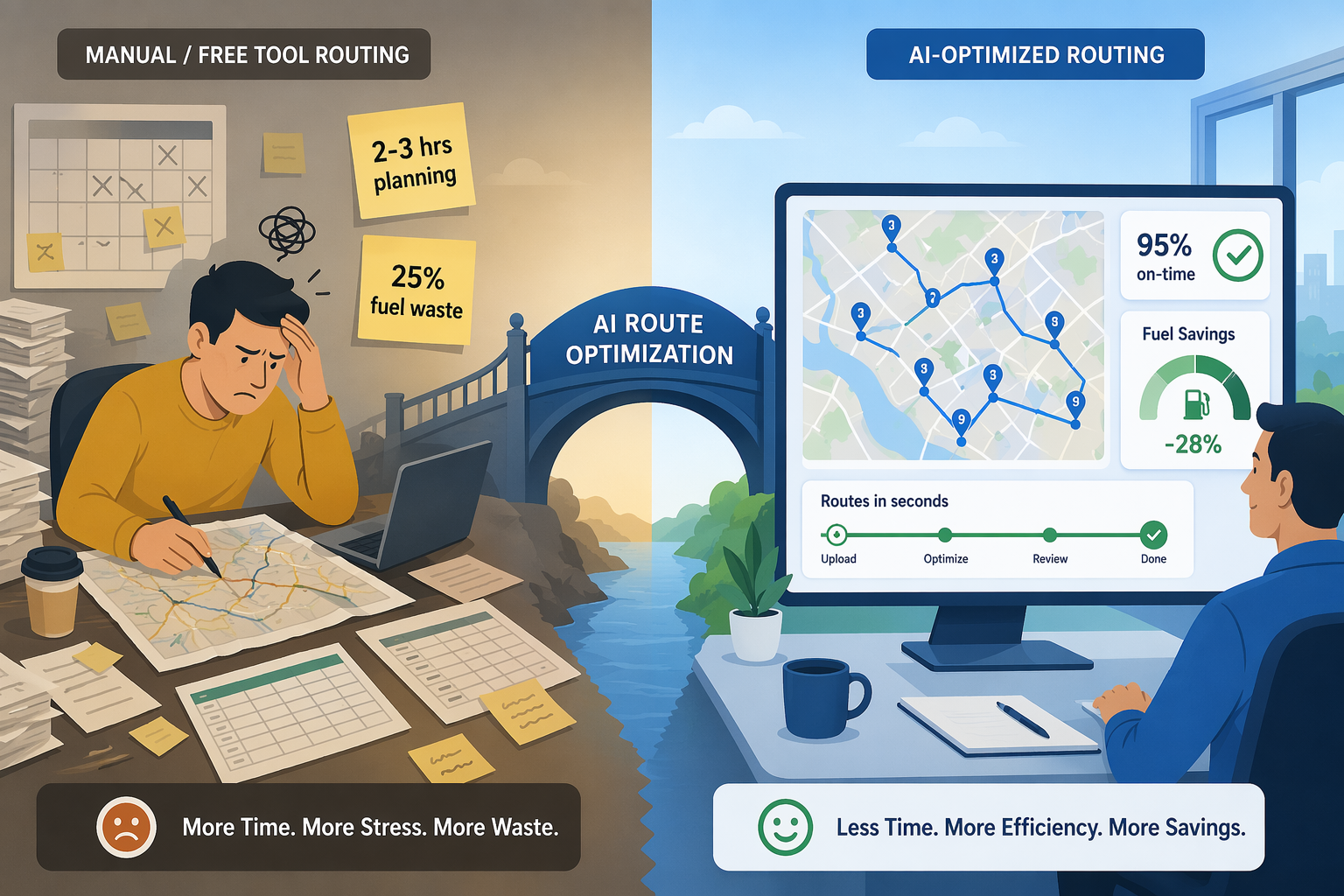
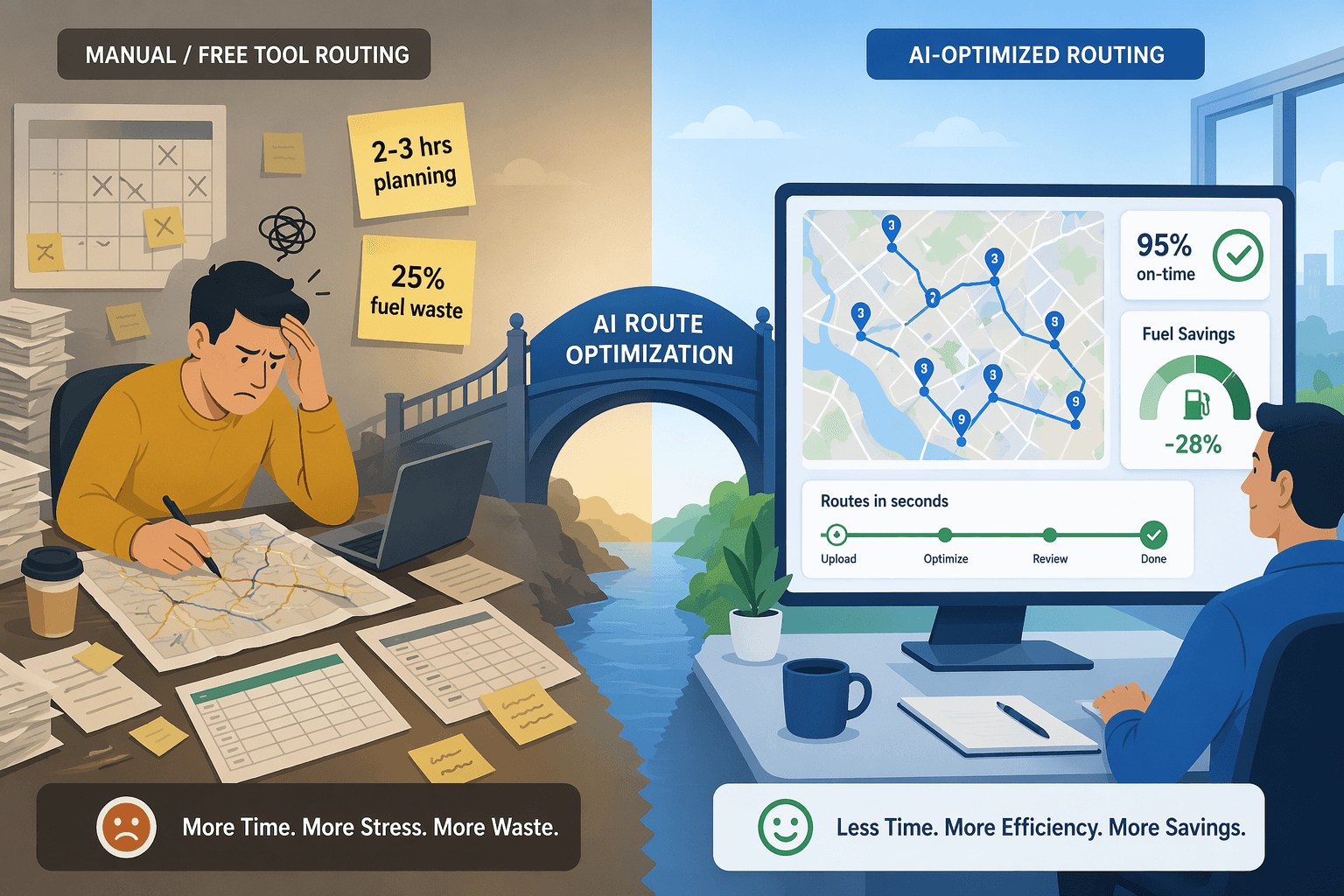
The route optimization software market is projected to grow from $8.02 billion in 2025 to $15.92 billion by 2030, according to industry analysts. That trajectory reflects a fundamental shift: logistics operators across every segment are recognizing that manual route planning — still the default for thousands of small and mid-size fleets — is a direct drain on margins. The same research indicates that manual planning wastes up to 25% of a fleet's fuel budget and consumes 2–3 hours per dispatcher every day.
Against that backdrop, the search for "free AI route optimization" has become a reliable signal of intent. Operators know AI-powered routing delivers measurable gains — 10–20% fuel savings, 25–30% improvement in delivery times, and 15–25% reduction in transportation costs, per vendor-consolidated benchmarks. But they also face budget constraints, especially when the fleet is small, the operation is seasonal, or the decision-maker needs proof of concept before presenting a capital request to finance.
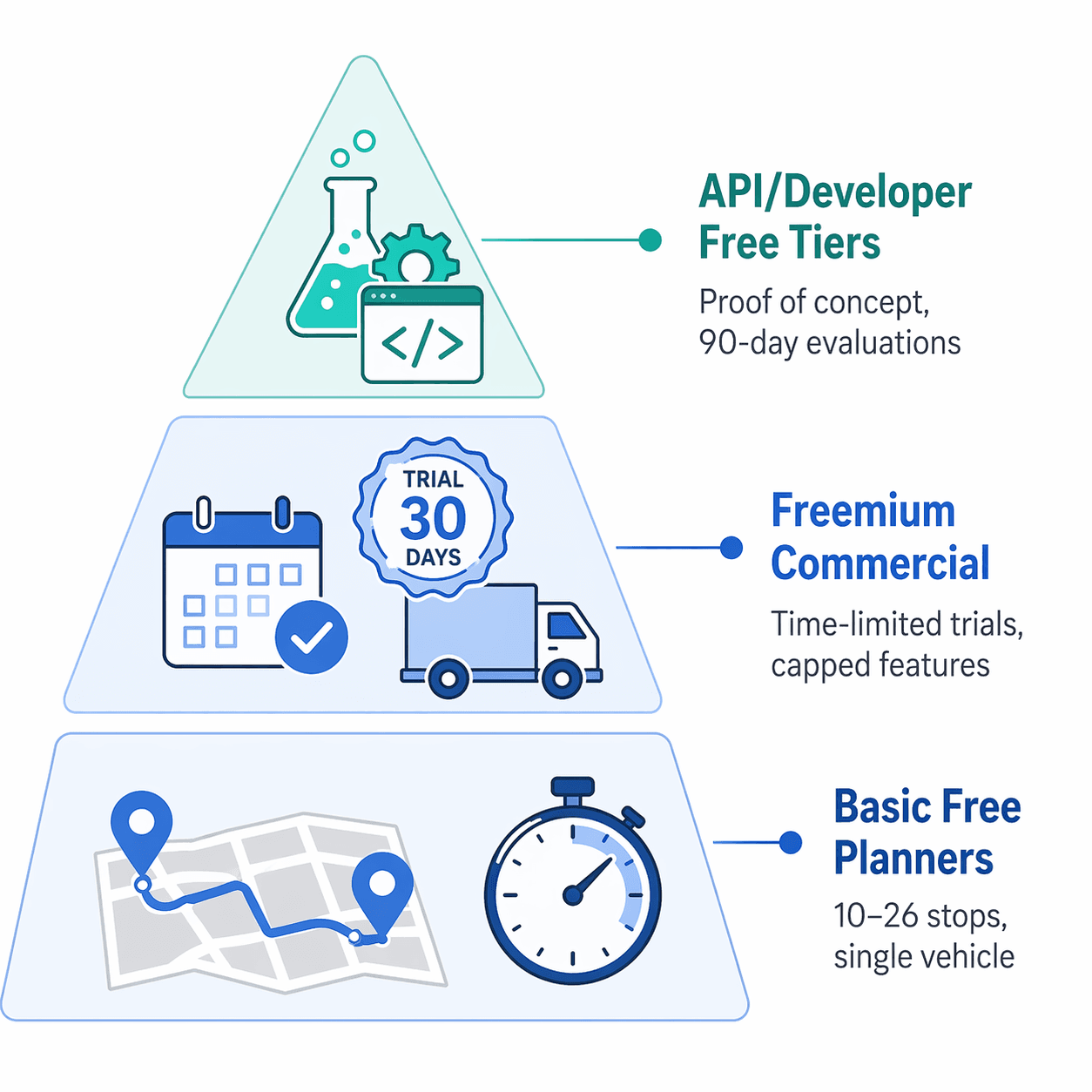
This article is an honest assessment of what free route optimization tools actually deliver in 2026 — and where they fall short. We categorize the landscape into three tiers: basic free planners, freemium commercial platforms, and API/developer free tiers. Each category has a legitimate use case. Each also has hard constraints that, if ignored, turn "free" into the most expensive option on the table.
Category 1: Basic Free Route Planners — What You Get and Where They Stop
The most accessible free tools are the ones most operators already know: Google Maps, MapQuest, RouteXL, and newer entrants like EZRoutePlanner. These are not AI route optimization engines in the strict sense — they are multi-stop planners with varying degrees of sequencing logic. They serve a narrow but real purpose: planning a single driver's route for a day with a modest number of stops.
The defining constraint across this category is stop limits. Google Maps allows up to 10 stops per route with no optimization — it simply orders stops in the sequence you enter them. MapQuest supports up to 26 stops and offers basic optimization by time or distance. RouteXL provides a freemium model with up to 20 stops per route for free, with limited optimization logic. Speedyroute caps at 10 stops with no customization of optimization settings. AA Route Planner is free but limited to 5 stops.
| Tool | Max Free Stops | Optimization | Multi-Vehicle | Time Windows | Mobile App |
|---|---|---|---|---|---|
| Google Maps | 10 | None (manual order) | No | No | Yes (basic navigation) |
| MapQuest | 26 | By time or distance | No | No | Yes |
| RouteXL | 20 (freemium) | Basic sequencing | No | No | No |
| Speedyroute | 10 | Basic, no customization | No | No | No |
| EZRoutePlanner | Unlimited (claimed) | Good optimization | No | No | No |
| AA Route Planner | 5 | None | No | No | No |
None of these tools support multi-vehicle routing, time windows, real-time traffic rerouting, or driver/customer communication features. They are suitable for a sole proprietor making fewer than 20 deliveries per day who does not need to coordinate multiple drivers or handle appointment windows. For any operation beyond that, the stop limit alone forces manual splitting of routes — which reintroduces the planning time and fuel waste these tools are supposed to eliminate.
Category 2: Freemium Commercial Planners — Free Trials with Capped Features
The second tier includes commercial route optimization platforms that offer free trials or capped free tiers: Track-POD, Routific, MyRouteOnline, and Detrack. These tools are built for delivery operations and include features like driver mobile apps, proof of delivery, and basic customer notifications — but the free access is deliberately constrained to force upgrade decisions.
Track-POD offers a free trial with up to 20 stops per route, but advanced features like live tracking, proof of delivery with photo capture, barcode scanning, and customer notifications are locked behind paid plans. Routific provides a free trial with driver app access, but the trial period is limited and stop counts are capped. MyRouteOnline offers free access for up to 20 stops with a commercial-grade planner and driver app, but multi-vehicle routing and time windows require a subscription. Detrack provides a free trial for up to 20 stops with advanced optimization.
| Platform | Free Access Model | Max Stops (Free) | Key Features in Free Tier | Upgrade Trigger |
|---|---|---|---|---|
| Track-POD | Free trial | 20 per route | Basic route planning, driver app | Live tracking, POD, barcode scanning |
| Routific | Free trial | Limited (time-bound) | Route optimization, driver app | Trial expiry, higher stop counts |
| MyRouteOnline | Free tier | 20 per route | Commercial planner, driver app | Multi-vehicle, time windows |
| Detrack | Free trial | 20 per route | Advanced optimization | Trial expiry, additional features |
These platforms are valuable for proof-of-concept testing. A dispatcher can run their actual daily route data through the free tier, evaluate the optimization quality, test the driver app experience, and assess whether the platform meets operational requirements. The limitation is that the free tier rarely represents the full capability of the paid product — and the stop cap means you cannot test the tool at your actual operational scale.
Category 3: API and Developer Free Tiers — Proof of Concept Without Commitment
The third category is the least visible to operations teams but potentially the most powerful for organizations with technical resources: API-first route optimization engines that offer free evaluation tiers. These include NextBillion.ai's Route Optimization API, Google's Route Optimization API, the open-source openrouteservice, and NVIDIA cuOpt's evaluation license.
NextBillion.ai provides a free trial API key (typically valid for one to two weeks) that supports up to 10,000 stops per routing problem with 50+ hard and soft constraints including time windows, vehicle capacity, and multi-depot routing. The Distance Matrix API supports up to 5,000 x 5,000 matrix size. This is genuine AI-powered optimization at a scale that exceeds most commercial operations — but it requires API integration, not a web-based dashboard.
Openrouteservice is an open-source routing service (1,900 GitHub stars) written in Java that uses OpenStreetMap data. It offers Directions, Isochrones, Matrix, Snapping, and Export services, and integrates with VROOM for vehicle routing optimization. Deployment is Docker-based (docker compose up -d), but it requires self-hosting and DevOps setup. A demonstration server is available at maps.openrouteservice.org, and a free API key can be obtained for testing. This is not a plug-and-play solution for operations teams — it is a developer tool.
NVIDIA cuOpt offers a free 90-day NVIDIA AI Enterprise Evaluation License for its GPU-accelerated route optimization workflow. The platform solves the vehicle routing problem with dynamic constraints and claims routing speeds up to 120x faster using GPU acceleration. It includes Helm charts, Jupyter Notebooks, and sample Python code for production deployment. The free evaluation period is generous, but the deployment complexity and hardware requirements (NVIDIA GPU) make it suitable primarily for organizations with existing AI/ML infrastructure.
- NextBillion.ai: Free trial API key (1–2 weeks), up to 10,000 stops, 50+ constraints, multi-depot support.
- Google Route Optimization API: Free tier with usage limits, requires Google Cloud account and API key.
- Openrouteservice: Open-source, Docker-based deployment, free API key for testing, requires DevOps skills.
- NVIDIA cuOpt: Free 90-day evaluation license, GPU-accelerated, 120x faster routing, requires NVIDIA GPU infrastructure.
Head-to-Head Comparison: Free Tool Limits at a Glance
The following table consolidates the concrete limits across all three categories, allowing operators to match their operational requirements to the appropriate tier.
| Category | Tool | Max Stops | Vehicles | Time Windows | Real-Time Rerouting | Mobile App | Deployment Effort |
|---|---|---|---|---|---|---|---|
| Basic Free | Google Maps | 10 | 1 | No | No | Yes (navigation) | None |
| Basic Free | MapQuest | 26 | 1 | No | No | Yes | None |
| Basic Free | RouteXL | 20 | 1 | No | No | No | None |
| Basic Free | EZRoutePlanner | Unlimited (claimed) | 1 | No | No | No | None |
| Freemium | Track-POD (free trial) | 20 | 1 | No | No | Yes (basic) | Low |
| Freemium | Routific (free trial) | Limited | 1 | No | No | Yes | Low |
| Freemium | MyRouteOnline (free) | 20 | 1 | No | No | Yes | Low |
| API/Developer | NextBillion.ai (trial) | 10,000 | Multiple | Yes | Yes | No (API) | High (API integration) |
| API/Developer | Openrouteservice (OSS) | Unlimited (self-hosted) | Multiple | Yes | Yes | No (API) | High (DevOps) |
| API/Developer | NVIDIA cuOpt (eval) | Unlimited (GPU-dependent) | Multiple | Yes | Yes | No (API) | Very high (GPU infra) |
When Free Costs More Than a Paid Plan: The Decision Framework
The decision to use a free route optimization tool should be based on a clear operational threshold, not on the absence of a software budget. The research provides concrete ROI benchmarks that make the breakeven point calculable.
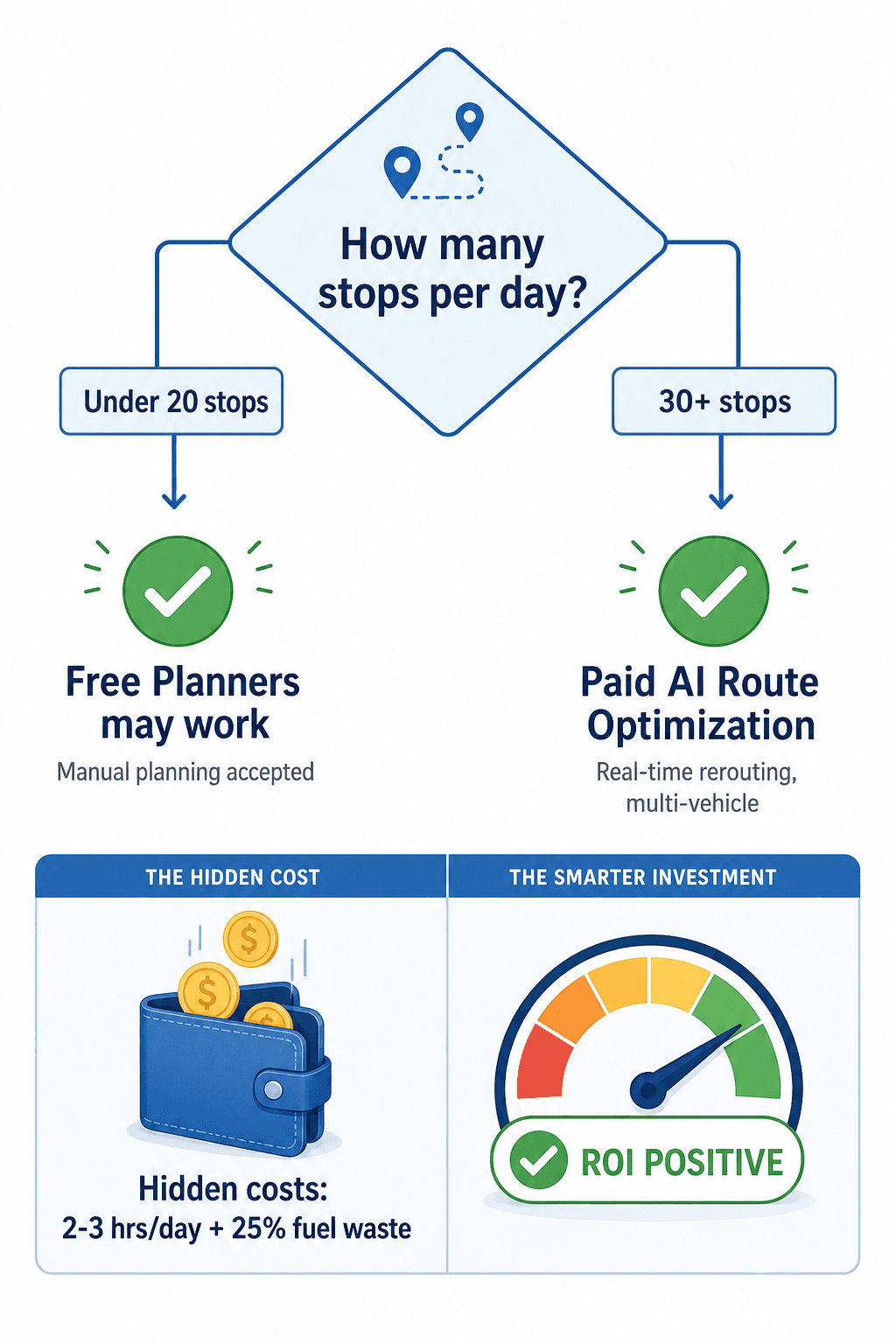
Free tools are sufficient when: you have a single driver making fewer than 20 stops per day, you do not need time windows or appointment scheduling, you accept manual route sequencing, and you do not need real-time visibility into driver location or delivery status. For a sole proprietor or a very small operation, a basic free planner like MapQuest (26 stops) or RouteXL (20 stops) may be adequate — provided the operator is willing to accept the planning time overhead.
Free tools cost more than paid plans when: you have 25+ stops per day per driver, you manage multiple drivers, you need time windows or customer notifications, or you are spending more than an hour per day on route planning. The hidden costs are quantifiable.
| Fleet Size | Annual Fuel Budget | 15% Fuel Savings | Software Cost (est.) | Net Annual Benefit |
|---|---|---|---|---|
| 5 vehicles | $50,000 | $7,500 | $2,400 | $5,100 |
| 25 vehicles | $250,000 | $37,500 | $12,000 | $25,500 |
| 100 vehicles | $1,000,000 | $150,000 | $48,000 | $102,000 |
The operational math is straightforward. Cloud-based route optimization solutions typically start at $15–50 per vehicle per month. For a 25-vehicle fleet, that is $4,500–15,000 per year. The same fleet, according to the benchmarks above, can expect $37,500 in annual fuel savings alone — a 2.5x to 8x return on software investment before accounting for reduced planning time, improved on-time delivery, and lower failed delivery costs (averaging $17.78 per failed attempt).
The breakeven point is typically reached within 3–4 months for fleets of 10+ vehicles. AI deployment itself takes 1–4 weeks for cloud-based solutions. The question is not whether the software pays for itself — it is whether the operator can afford the hidden cost of continuing to use free tools that were never designed for commercial-scale logistics.
Actionable Next Steps for Evaluating Route Optimization Tools
The path from free tools to a production-grade route optimization solution does not have to be a leap. The following steps provide a structured evaluation process that minimizes risk while building the business case for investment.
- Audit your current routing operation. Measure the number of stops per driver per day, the number of drivers, the time spent on manual planning (track it for one week), and the fuel consumption per route. This baseline is your 'before' metric.
- Test a freemium commercial planner with your actual route data. Use the free trial of Track-POD, Routific, or MyRouteOnline to run your typical daily routes. Evaluate optimization quality, driver app usability, and the time saved versus manual planning. Document the results.
- If you have development resources, evaluate an API-tier solution. Request a free trial key from NextBillion.ai or deploy the openrouteservice Docker container. Test at your actual operational scale — 100+ stops, multiple vehicles, time windows — to validate that the optimization engine handles your constraints.
- Calculate the hidden cost of your current free tool or manual process. Use the formula: (hours of planning per day × dispatcher hourly rate × 260 working days) + (annual fuel spend × 25% waste factor). Compare this to the annual cost of a paid solution at $15–50 per vehicle per month.
- Present the business case with the breakeven timeline. For most fleets of 10+ vehicles, the ROI is positive within 3–4 months. Use the vendor-consolidated benchmarks as directional evidence, and supplement with your own trial data.
- Budget for the upgrade when your stop counts or complexity exceed free tool limits. The transition from free to paid is not a failure of the evaluation — it is the expected outcome of a successful proof of concept.
Free route optimization tools serve a legitimate purpose: they lower the barrier to entry for operators who need to test whether AI-powered routing works for their specific operation. But the data is clear — manual planning and stop-limited free tools carry a hidden cost that, for any commercial-scale operation, exceeds the price of a paid solution. The goal of this evaluation is not to avoid spending money on software. It is to spend money on the right software, with evidence that it delivers measurable ROI, rather than continuing to absorb the invisible cost of free.
Comments
Join the discussion with an anonymous comment.